eMotion
Ground control station for drones
- Project
- eMotion / senseFly
- Year
- 2021
- Role
- UX/UI Redesign & Front-end Integration
- Discipline
- UX & UI Design, Design System, Front-end Dev.
Overview
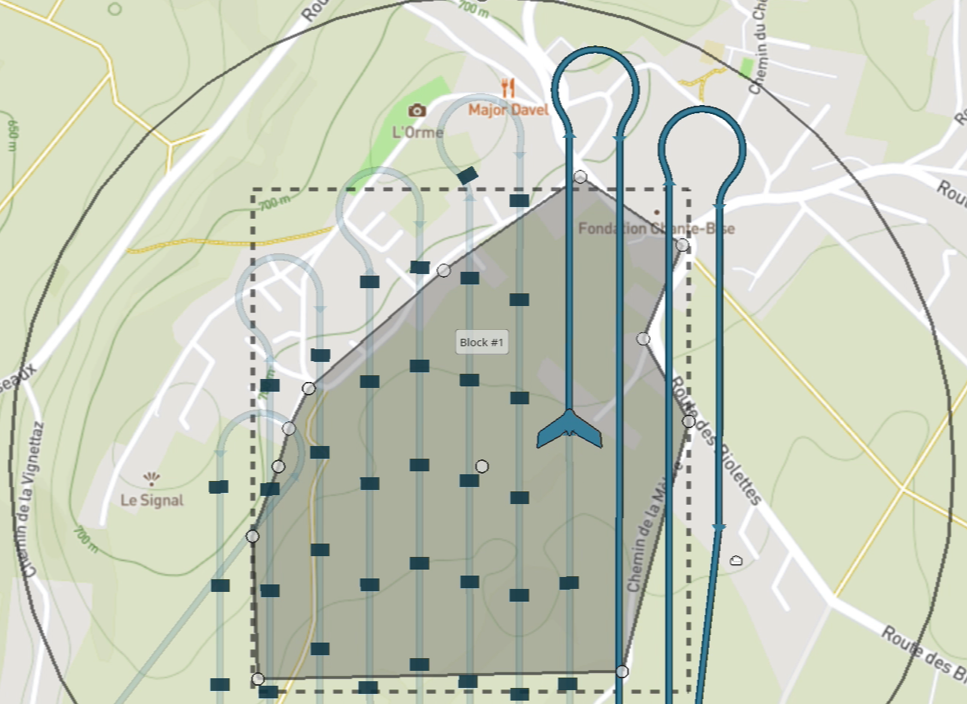
eMotion is senseFly's drone flight planning and control software. This complex application allows users to accurately plan their mission and then, with the same program, fly and control the drone from the ground.
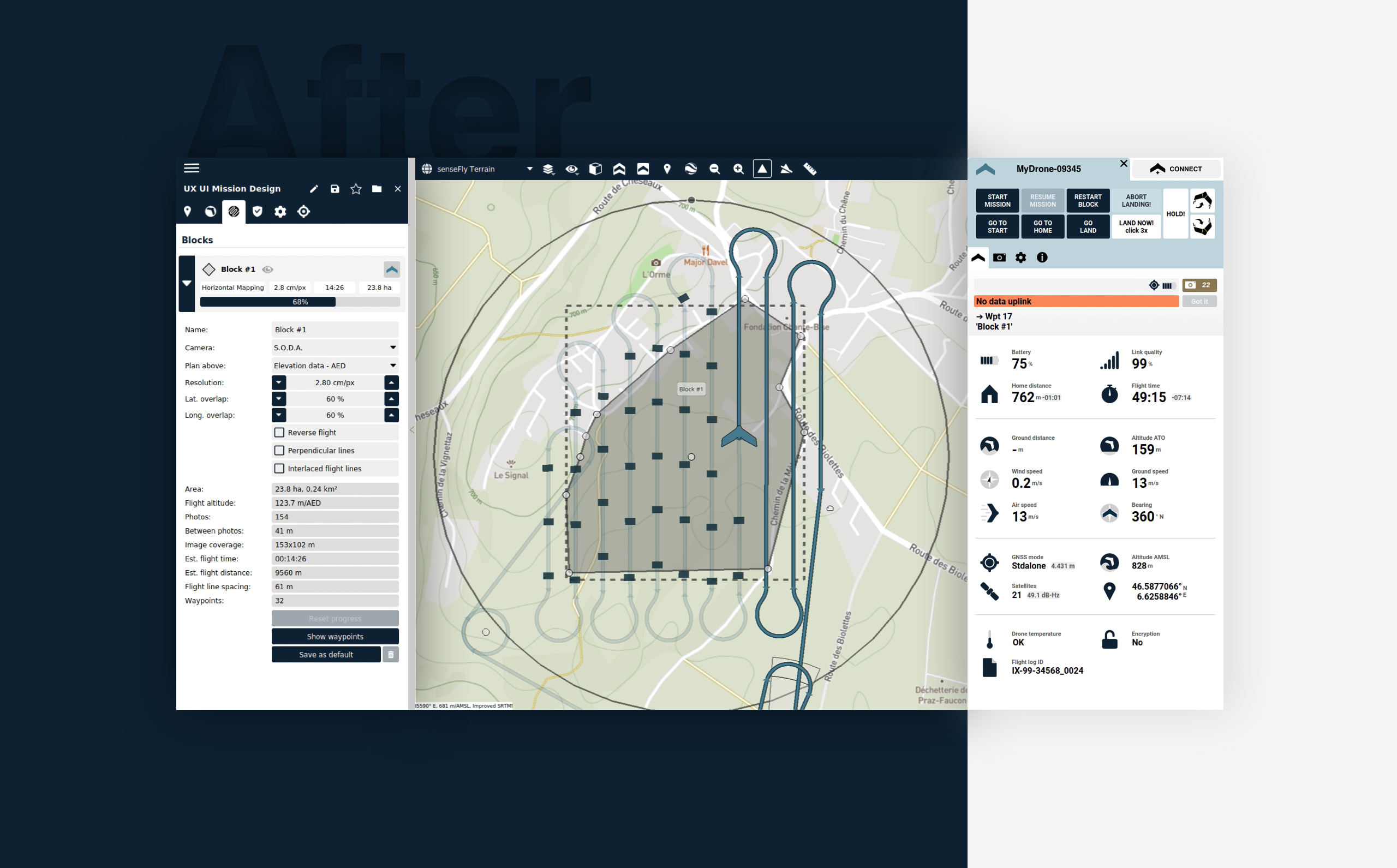
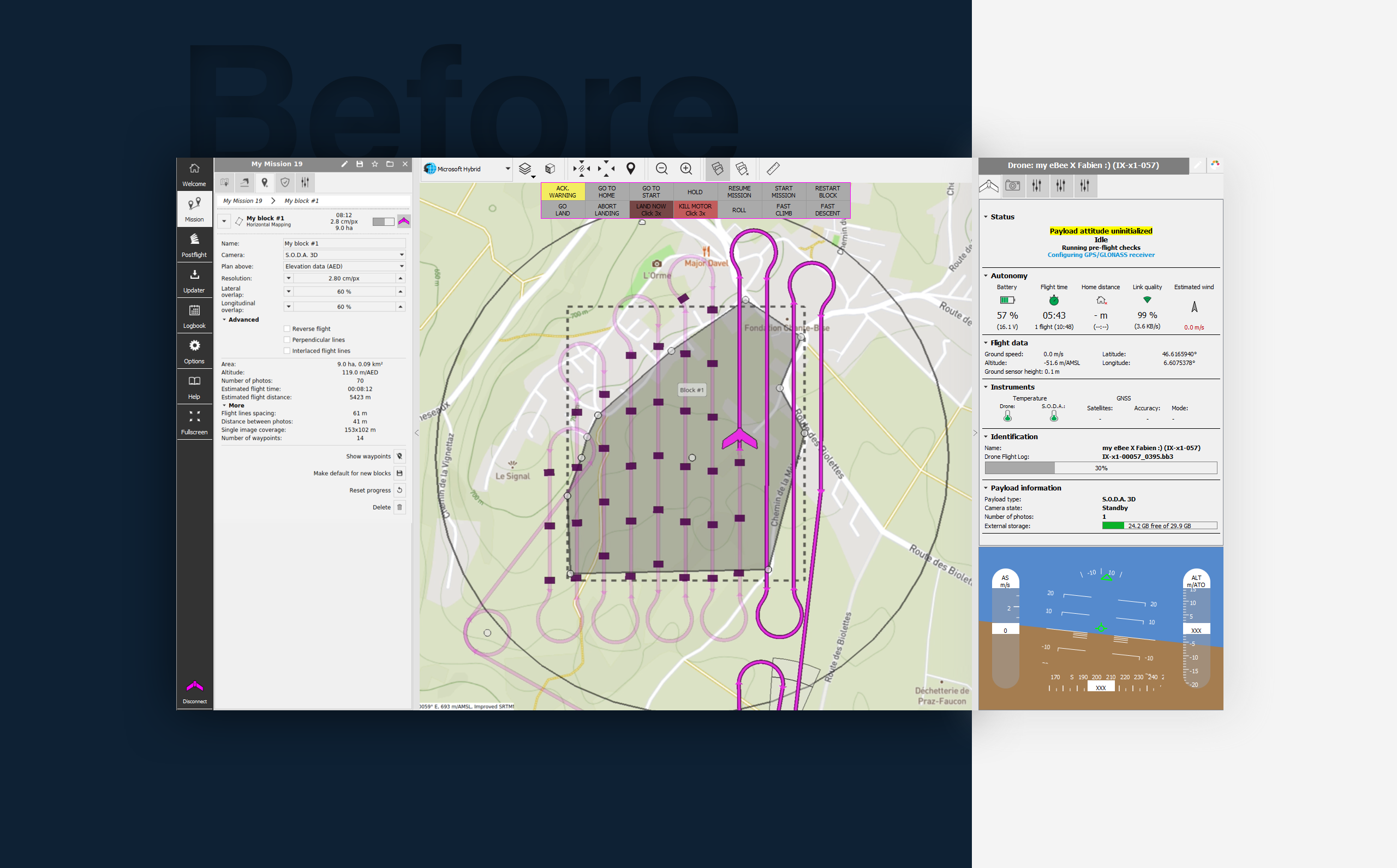
Before / after
Built with
- Sketch
- QT Creator
- C++
- CSS
One program, two very different jobs
Planning a mission and flying it are two opposite modes of use. Planning happens at a desk, with time to analyse maps, configure parameters, and prepare the operation. Flying happens outdoors, often in bright sunlight, where operators need critical information such as altitude, battery level, and position immediately visible.
The redesign focused on making these two states clearer. Flight information was enlarged and prioritised for quick reading in the field, while planning tools and parameters were reorganised into a more compact and structured interface.
What changed
The scope of the redesign was mainly focused on improving the existing interface rather than rebuilding the entire application. Due to the complexity of the software, major UX changes required careful consideration to avoid disrupting existing workflows.
One of the biggest improvements was reorganising the flight controls and mission parameters. Controls were moved to the left and right sides of the interface, creating a clearer separation between preparation and operation. This layout made drone control more intuitive and helped operators quickly identify which drone they were controlling when managing multiple units during a mission.
Previously, drone information was displayed through small text labels and icons that were difficult to read outdoors. These were replaced with clearer visual indicators and simplified graphics, allowing operators to understand the status of each drone at a glance.
Designed and integrated
Beyond the design work, I contributed to the front-end integration in QT Creator alongside the engineering team. This collaboration helped streamline implementation, reduce back-and-forth, and allowed me to design solutions that were technically realistic from the beginning.
Working directly with developers also gave me a better understanding of the constraints behind the product and helped bridge the gap between design and engineering.
© Alexia Lechot — for SenseFly SA
Next project
Deltu
The stubborn robot